No Download Needed: Put Your Mobile App Inside a Text
Most of your customers will never install your app. RCS for Business puts the best parts of it in the Messages thread they already open, with a verified brand.
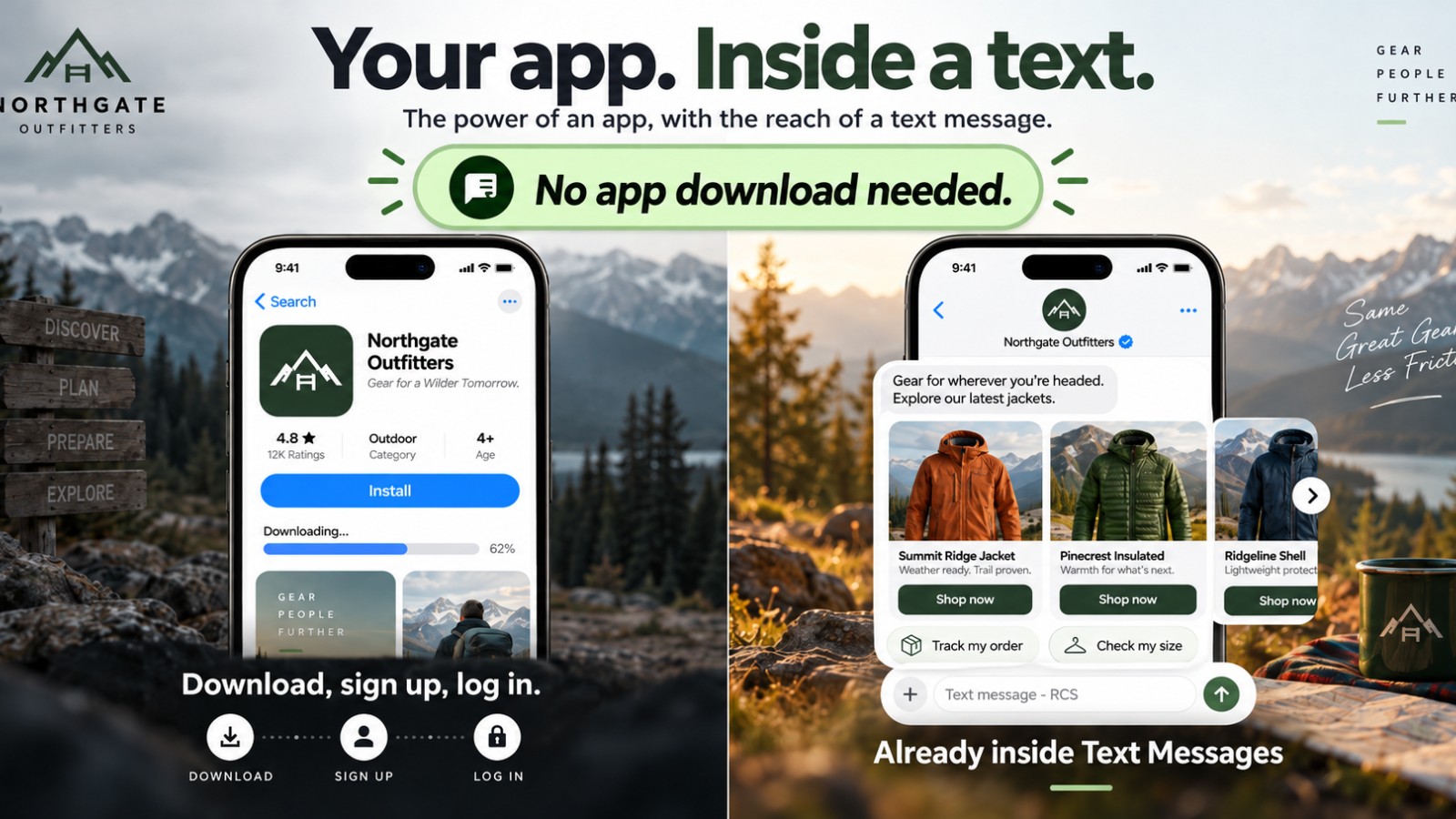
No Download Needed: Your Mobile App Inside a Text Message
Your company built an app. Design sprints, a mobile team, an API layer, app store reviews, release after release. It is one of the most expensive digital assets you own, and for your most loyal customers it works.
The hard part is everyone else.
Most of the people who find you, buy from you once, or book with you twice a year will never install that app. That is not a failure of your product team. It is how people use their phones. The app gets the loyal few. The text thread gets everyone.
This post is about closing that gap. Not by replacing the app, but by putting its best jobs inside the one place every customer already opens: Messages.
The adoption problem nobody puts on the roadmap
Every app has a funnel before the funnel. A customer has to hear about the app, go to a store, find the right listing, wait for a download, open it, allow permissions, create an account, and remember a password. Only then do they reach the screen your team spent months on.
Each step loses people. Then the app has to earn its spot on the home screen, against every other icon fighting for the same space. Customers who only need you now and then often delete it, ignore its notifications, or never come back after the first visit.
That is app fatigue. People are not tired of good experiences. They are tired of downloading a new app for every brand that wants a relationship. For a weekly habit, an install makes sense. For a quote, a booking, an order status, or a quick question, it usually does not.
So brands fall back on SMS for everyone outside the app. That text arrives from an unknown 10 digit number or a short code, with a short link and a STOP line. It cannot show a product. It cannot offer a button. It cannot look like the brand that paid for the app. Our earlier post on 10DLC and TFN texts covers what that trust gap costs on the lead side.
What RCS for Business actually carries
RCS for Business is the rich, branded version of business texting, and it lives in the native messaging app. Google's RCS for Business overview describes a verified sender with the brand's name and logo, rich media, and interactive actions inside the default messaging app.
Google's send messages guide lists what a thread can hold:
- Text, images, and video
- Rich cards with media, a title, a description, and buttons
- Carousels of rich cards a customer can swipe
- Suggested replies, so a customer taps instead of types
- Suggested actions such as dial, view a location, share a location, create a calendar event, and open a URL, including in a webview
If you squint, that list reads like an app's component library. A product tile. A swipeable catalog. A primary button. A booking prompt. A map pin. A form in a webview. The difference is that none of it needs a download.
RCS is available on all US carriers and on iOS and Android. That is channel availability. The customer still needs RCS turned on, and your agent has to be launched where they are. The RCS vs SMS guide covers where plain SMS still matters, and fallback to SMS is something your messaging partner sets up, not something that happens on its own.
Map your app to the thread
We already showed a restaurant app plus SMS split, and the broader case for the power of an app with the reach of a text. This post goes one layer down: how to take the app you already have and decide what moves into the thread.
Picture Northgate Outfitters, a made up gear retailer with a strong app. Their team audits the app screen by screen and sorts every job into three buckets.
Moves into the thread. Jobs that are short, high intent, and occasional. New arrivals become a carousel. Order status becomes a rich card with a "Track order" action. Store pickup becomes a "View location" action. A fitting appointment becomes a calendar suggestion. Returns start with two suggested replies.
Opens from the thread. Jobs that need more screen. Checkout, a size guide, or a loyalty dashboard open from a button, either in a webview or on the existing site. The thread is the front door, and the heavy screens stay where they live today.
Stays in the app. Jobs that reward a daily habit, like a saved gear list or deep account settings. Your loyal app users keep them. RCS does not compete for those customers.
The point is that the work is already done. Your catalog, your inventory feed, your order system, your scheduling, and your brand assets already exist because of the app. The thread reuses them. That is why RCS extends the app investment instead of starting a new one.
The same brand, everywhere the customer is
The app looks like your brand. Your SMS does not. That mismatch is quiet, but it adds up across every touch.
A verified RCS sender closes it. The thread shows your brand name, logo, and verified badge, so a message from Northgate looks like Northgate, not a random number. Brand verification is the step that makes that possible, and it is worth getting right before launch.
Now the experience is consistent. A loyal customer sees the brand in the app. A first time buyer sees the same brand, the same products, and the same next step in Messages. Nobody has to install anything to feel like a customer.
Where the thread starts
An app waits to be opened. A thread can start from the moments that already happen:
- A customer taps a Click to Message button on your site, an ad, or a QR code
- A website message icon opens RCS instead of a web form
- A missed call opens a branded thread so the lead does not go cold
- An order or appointment triggers a rich update the customer actually wants
Each one is a place where an app install prompt would have lost people. A thread keeps them moving. If you want the bigger picture of how these entry points connect, start with the conversation operating system.
Measure it like an app
Treat the thread like a product surface, not a blast channel. Track taps on suggested replies, card opens, carousel swipes, bookings, and completed orders. Compare customers who never installed the app with those who did. The goal is simple: more of your audience reaching the moments your app team designed, whether or not they ever visit the app store.
What to do next
If your team has invested years in an app, the next win may not be another release. It may be bringing the app's best jobs to the customers who will never download it.
MessageOS helps brands plan the app to thread map, get a verified RCS sender launched, and connect it to the systems you already run. Reach out to MessageOS.ai and we will walk through which of your app's jobs belong in Messages first.
- RCS vs SMS: What Actually Changes for a BusinessSMS is a universal, plain-text channel with no sender branding and a 160-character frame. RCS adds verified brand identity, rich cards, carousels, suggested replies, richer media, and true two-way conversation, but only where the carrier, device, and OS support it. Most brands run both: RCS where available, SMS as the automatic fallback.
- What Is RCS Business Messaging?RCS Business Messaging (RBM) is a messaging standard that replaces plain SMS with branded, verified, interactive conversations in the phone's native messaging app. A business is verified with carriers and platform providers, then sends and receives rich content: logo and brand name, rich cards, carousels, suggested replies, images, and real two-way dialogue. Availability depends on the recipient's carrier, device, and operating system, and messages fall back to SMS when RCS is unavailable.
- Click to Message: Turning a Tap Into a ConversationClick to Message is an entry point that opens the phone's native messaging app with a conversation already addressed, and usually pre-filled, so the customer only has to press send. It can be placed on a website, a search result, an ad, a QR code, an email, a social profile, or a physical sign. It works because the customer stays in an app they already trust instead of loading a new page or filling in a form.
Primary sources worth reading
- RCS for Business FAQ· Google
Google's official answers on RCS availability, brand verification, device and carrier support, and how RCS differs from SMS.
Sources and further learning
- RCS for Business· official documentation
- Send messages (RCS for Business developer guide)· official documentation
MessageOS Team
· MessageOS.aiMessageOS is the Conversation-to-Outcome Platform, helping brands turn Google Search, AI Search, and click-to-message intent into branded AI conversations that deliver measurable outcomes.