RCS on iPhone vs Android: What They Document
Apple and Google do not document one RCS feature list. Separate person to person RCS, RCS for Business, and the client in the customer's hand.
RCS is live on all US carriers, and on iOS and Android. That is availability. It does not mean every device or every messaging client supports every RCS for Business feature the same way.
Brands often talk about RCS on iPhone and Android as one feature list. Apple and Google do not document it that way. Separate three things: person to person RCS, RCS for Business, and the client actually in the customer's hand.
What Apple documents for person to person RCS
Apple's support page is the primary for RCS on iPhone. RCS is a carrier provided service in Messages. It needs a supported iOS version and a carrier that supports RCS on iPhone. If the RCS Messaging setting is missing, the carrier may not support it.
RCS versus SMS is the MessageOS comparison. Apple's guide to RCS on iPhone is the citation.
When RCS is on, it can carry texts, high-resolution photos and videos, and links, plus delivery receipts, read receipts, and typing indicators. RCS messages appear in green bubbles, the same way SMS and MMS do. iMessage remains the path between Apple devices.
In newer iOS versions the person can choose which compatible app handles SMS, MMS, and RCS. Carrier fees may apply. That is person to person availability. It is not the full feature set for a business sending RCS.
RCS for Business is a separate iPhone control
Do not collapse person to person RCS with RCS for Business. They are not the same product. The official external name is RCS for Business. RBM remains the API name and the support address. MessageOS works as a partner. We are not Google, and we are not a carrier.
On iPhone there is a separate RCS Business Messages control under Settings, Apps, Messages, RCS Messaging. Apple's 11 May 2026 support page says some businesses can send alerts and updates on orders and other transactions. The person can turn these off. They can also Report Junk.
Apple recognizes business RCS as distinct from person to person RCS. What Apple's public support pages do not do is list every rich primitive documented for Google Messages. Do not assume a rich card, a carousel, a webview, or a persistent chip will render the same on iPhone. Persistent suggestions are not supported on iOS. Design for the client that is receiving the thread.
Google Messages is the documented reference client
Google Messages is the documented reference client for most RCS for Business primitives: verified identity, rich cards, carousels, suggested replies, suggested actions, webview, delivery receipts, read receipts, typing indicators, and the verification checkmark after launch. The verified sender glossary is the operator page for that checkmark. It is not a badge a partner can self apply.
When the thread opens in native Messages, that is the power of an app with the reach of a text message. The message is not the outcome. What the customer can do next is: book, estimate, intake, find a location, add a calendar event, or move into the right next step.
A rich card will not render on every phone. The device needs RCS on. The agent has to be launched on that network. The client has to support the capability. Build one conversation that tells the truth on both clients. Do not build for Android and hope iPhone matches.
Click to Message is one door. Entry points is the map. MessageOS can set up Search, Maps, ads, a Google Business Profile proof of concept, a QR, sms deep links, a missed call text back, a website share-row icon, and the other doors on that map. They land in one thread. Click to RCS on a Business Profile is a controlled proof of concept. The agent still has to be launched. What live on a carrier means is that gate. Search and Maps versus Business Profile Chat is the door split.
The lock is person to person. Business RCS does not get one.
On 11 May 2026 Apple and Google posted the same day. End to end encrypted RCS is rolling out in beta for compatible person to person conversations. When it is on, people can see a lock. That is person to person RCS. It is not RCS for Business.
Google's RCS for Business data security page is explicit. RBM does not offer end to end encryption. You will not see a lock icon in the Messages UI for RBM conversations. The platform uses point to point encryption between the device and Google, and between Google and the partner. Google scans. Partners cannot use their own keys.
Never put a lock on a business thread as a trust signal. See security. The channel is not HIPAA. Google's data security page says RCS for Business is not HIPAA compliant. That does not ban healthcare from the channel. It means no PHI in the thread. Use RCS for reminders, navigation, and the tap into a secure workflow. Do not treat the thread as a health record.
One launched agent, two clients
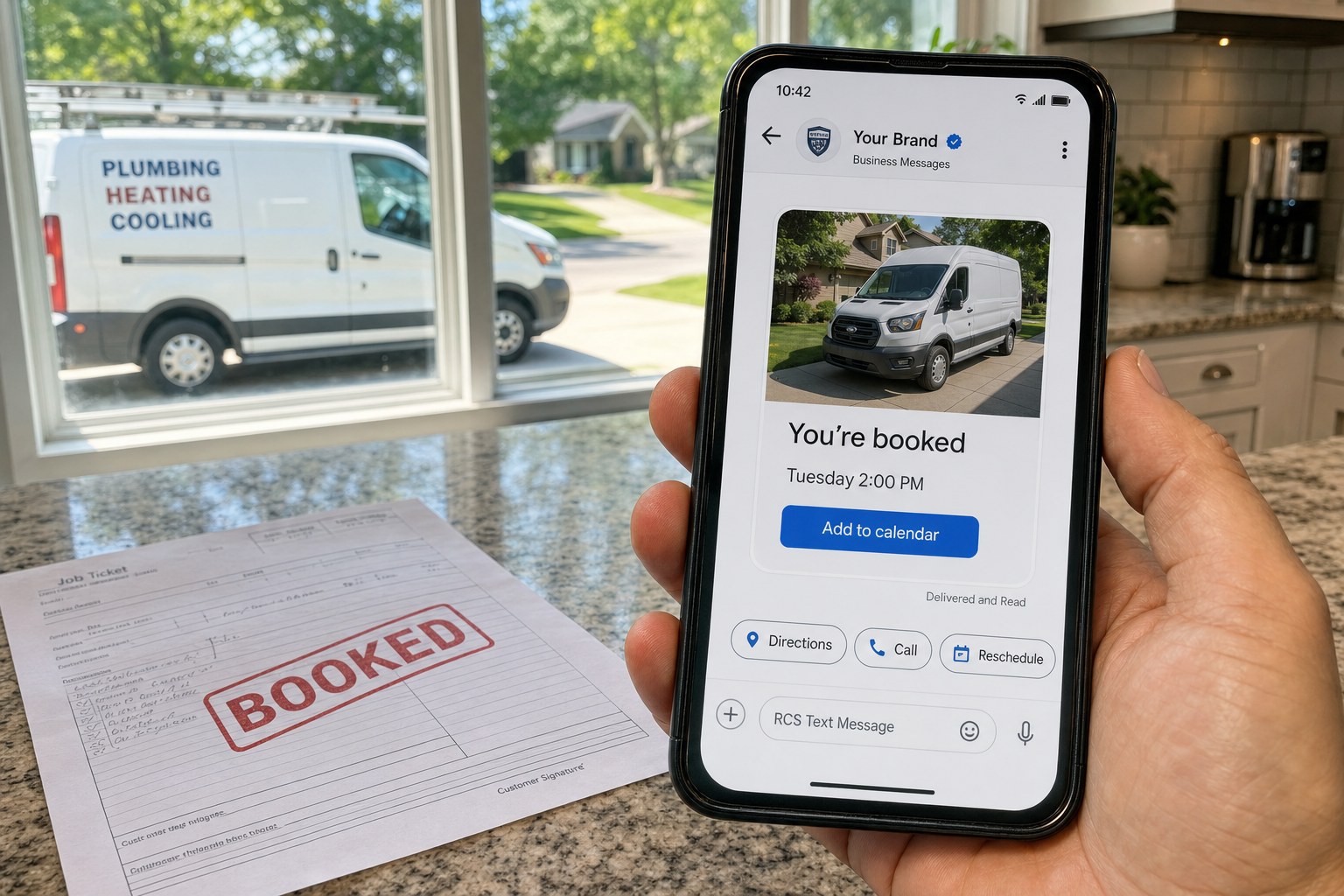
The work is not choosing iPhone RCS or Android RCS. It is one launched agent that is honest on both. On Google Messages, after launch, a person can see a verified name, a checkmark, a rich card, suggested actions, and a composer that can read RCS Text Message. On iPhone, Apple documented a business toggle, alerts and updates, and Report Junk. Those are both RCS. They are not the same drawing.
Test the devices, the carriers, the clients, and the fallback before you promise a carousel. For legal that is intake. For agencies that is a conversion layer on demand they already buy. For HVAC and home services that is a booked window. For healthcare that is an appointment without PHI in the thread. For retail and live commerce that is the next step toward the order. For a local business that is the visit they already paid for.
Named brand experiences on the site are unofficial conceptual simulations. They are not customers. MessageOS.ai is not the overseas WhatsApp company.
What to do next
If your deck treats iPhone and Android as one RCS matrix, open Apple's page and Google's data security page and read them as they were written. Then test the phones in your customers' hands.
If you want one launched agent that respects both clients, contact us or get in touch. An evaluation is available. Bring the brand, the iPhone and Android devices on your test set, and the outcome you want from the first tap: book, order, estimate, intake.
MessageOS can stand up the agent and the entry points. The thread still has to finish the job on the client that is in the person's hand.
- What Is RCS Business Messaging?RCS Business Messaging (RBM) is a messaging standard that replaces plain SMS with branded, verified, interactive conversations in the phone's native messaging app. A business is verified with carriers and platform providers, then sends and receives rich content: logo and brand name, rich cards, carousels, suggested replies, images, and real two-way dialogue. Availability depends on the recipient's carrier, device, and operating system, and messages fall back to SMS when RCS is unavailable.
- RCS vs SMS: What Actually Changes for a BusinessSMS is a universal, plain-text channel with no sender branding and a 160-character frame. RCS adds verified brand identity, rich cards, carousels, suggested replies, richer media, and true two-way conversation, but only where the carrier, device, and OS support it. Most brands run both: RCS where available, SMS as the automatic fallback.
- Click to Message: Turning a Tap Into a ConversationClick to Message is an entry point that opens the phone's native messaging app with a conversation already addressed, and usually pre-filled, so the customer only has to press send. It can be placed on a website, a search result, an ad, a QR code, an email, a social profile, or a physical sign. It works because the customer stays in an app they already trust instead of loading a new page or filling in a form.
Primary sources worth reading
- RCS Business Messaging developer documentation· Google for Developers
Google's technical reference for RCS Business Messaging: agent registration, rich cards and carousels, suggested replies and actions, capability checks, and webhook events.
- RCS for Business blog· Google
Google's official program blog for RCS Business Messaging, covering feature releases, brand case studies, and carrier rollout news.
Sources and further learning
- RCS messaging on iPhone· official documentation
Apple support page for RCS on iPhone, including the RCS Business Messages control.
- RCS for Business data security· official documentation
Google statement that RBM is not end to end encrypted and is not HIPAA compliant.
MessageOS Team
· MessageOS.aiMessageOS is the Conversation-to-Outcome Platform, helping brands turn Google Search, AI Search, and click-to-message intent into branded AI conversations that deliver measurable outcomes.