Social to Conversation
Your social share row sends visitors away. Ours share icon keeps them talking.
Every icon in a social share row, LinkedIn, Instagram, Facebook, YouTube, ships a visitor off to a platform feed and hands their attention to an algorithm. The MessageOS icon is the one addition that opens a verified, branded conversation right in their native Messages app. No app. No web redirect. Just a conversation that stays with you.
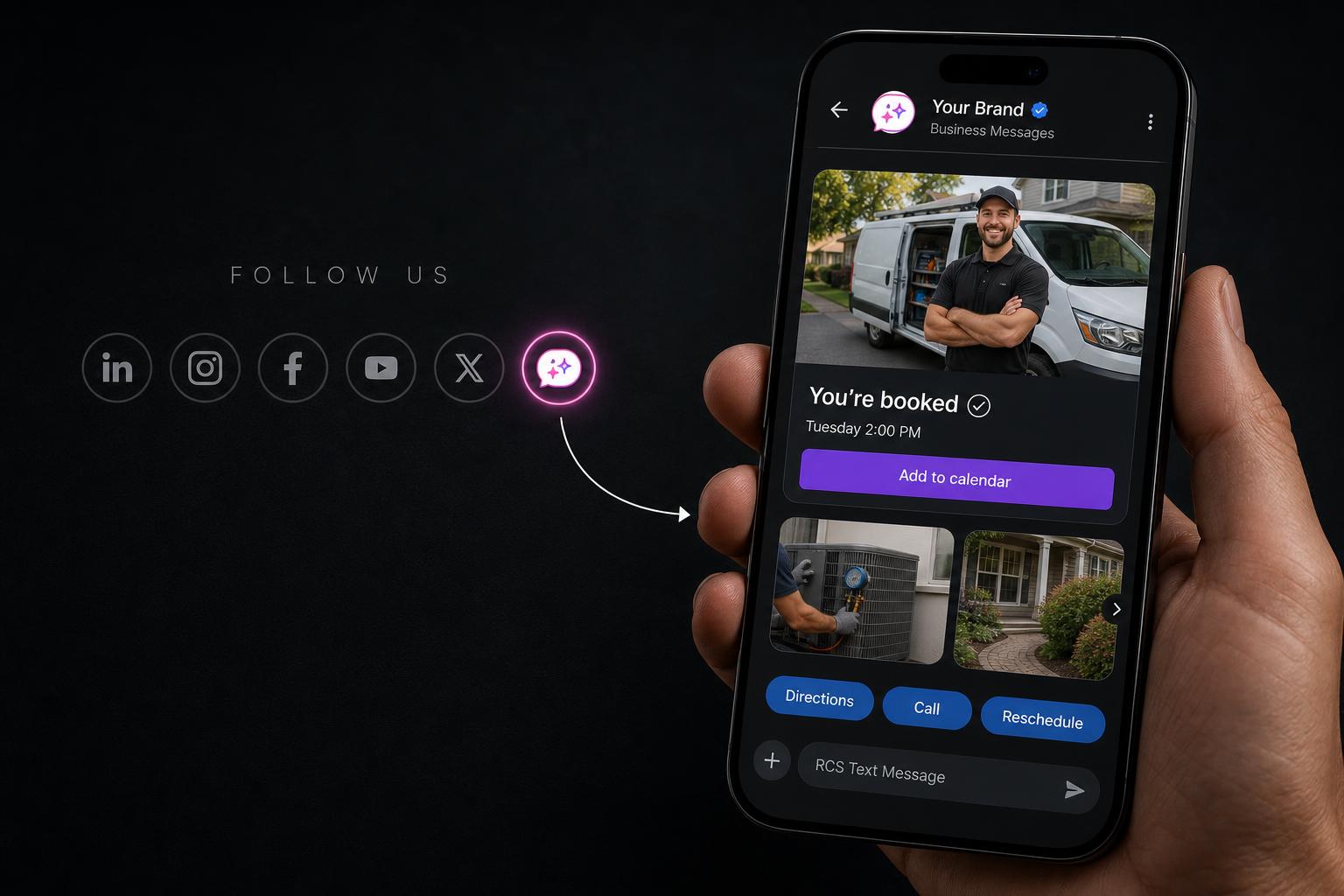
The problem with the share row
Five icons, five exits. Each one walks your visitor off the site.
A share row is designed for distribution, not conversation. A tap sends the visitor into a feed, where their attention belongs to the platform, not your brand. By the time they swipe back, the intent that brought them to your site has cooled.
The MessageOS icon does the opposite. One tap opens the native Messages app, prefilled, and the visitor is in a 2-way conversation with your brand, not a feed. The attention never leaves your orbit.
How the one icon works
See, tap, talk, return.
The visitor does nothing new. They scan the share row they already trust, tap the one icon that promises a conversation, and land in their own Messages app talking to a verified brand agent.
The icon sits in the share row visitors already scan.
Opens the native Messages app, prefilled, no download.
Ezra answers, sends rich cards, books, qualifies.
The thread stays. They come back to you, not a feed.
Inside the conversation
A branded agent, not a link to somewhere else.
When the visitor taps the icon, Ezra, the branded AI concierge, is already there. Verified sender identity, rich cards, suggested replies, and a full conversation history that survives the session.
Questions
What it is, and what it isn't.
How is this different from a normal social follow button?+
A follow button sends a visitor to a platform's feed and hands their attention to an algorithm. The MessageOS icon opens a verified, 2-way conversation with your brand inside the visitor's own Messages app. They never leave your site's orbit, and the conversation persists after they do.
Does it replace our social media?+
No. Keep your LinkedIn, Instagram, Facebook, and YouTube icons. MessageOS is the one addition to that row that keeps the conversation with you instead of routing it through a third-party feed.
Do visitors need an app or account?+
No. The icon opens the native Messages app that is already on the phone, with a prefilled first message. No download, no sign-up, no web redirect.
What can happen inside the conversation?+
Ezra, the branded AI concierge, answers questions, sends rich cards and carousels, offers suggested replies, books appointments, qualifies leads, and hands off to a person when needed. The same verified thread carries the full history.
Where does the icon live?+
Anywhere a share or follow row already appears: site header, footer, blog posts, product pages, and campaign landings. One snippet, one branded experience across every surface.
Add the one icon that keeps them talking.
It drops into the share row you already have. One tap, one verified conversation, one visitor who stays with you instead of scrolling a feed.
Works alongside your existing social icons. Exact capabilities depend on carrier and device support, brand verification, and applicable compliance.